





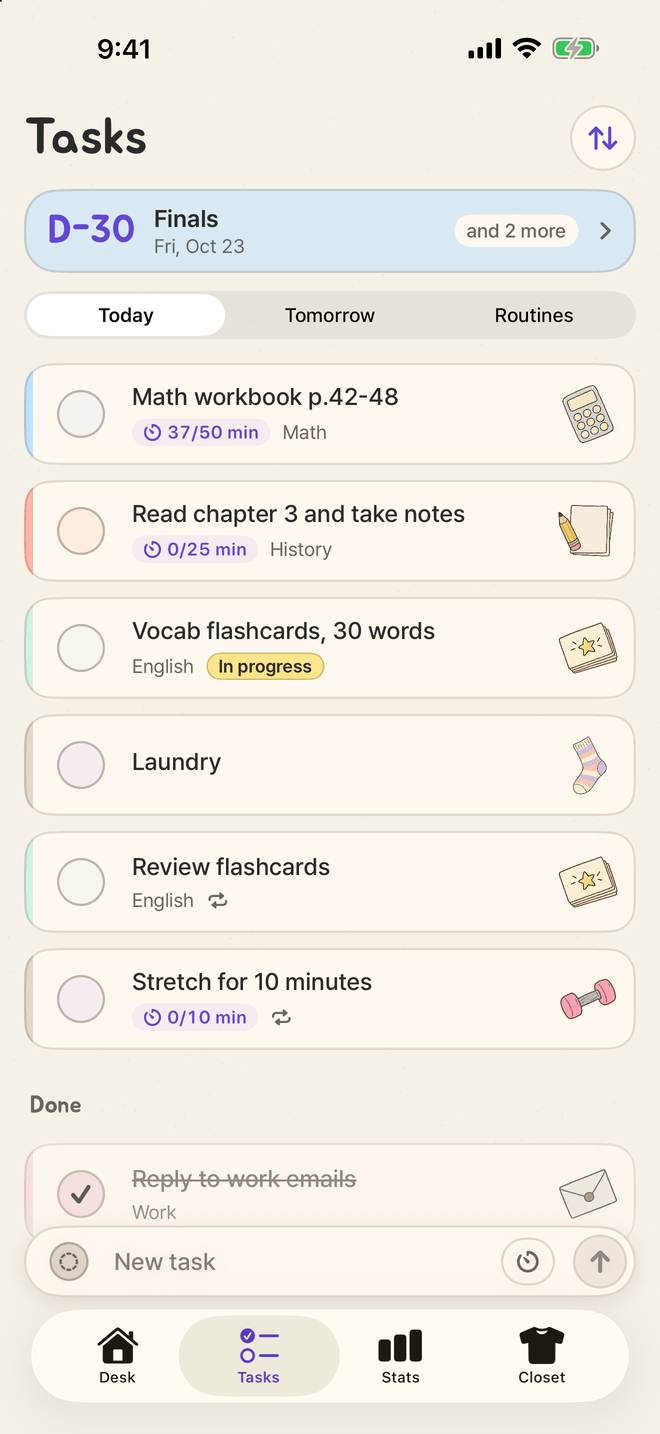
Today, tomorrow, routines, D-days
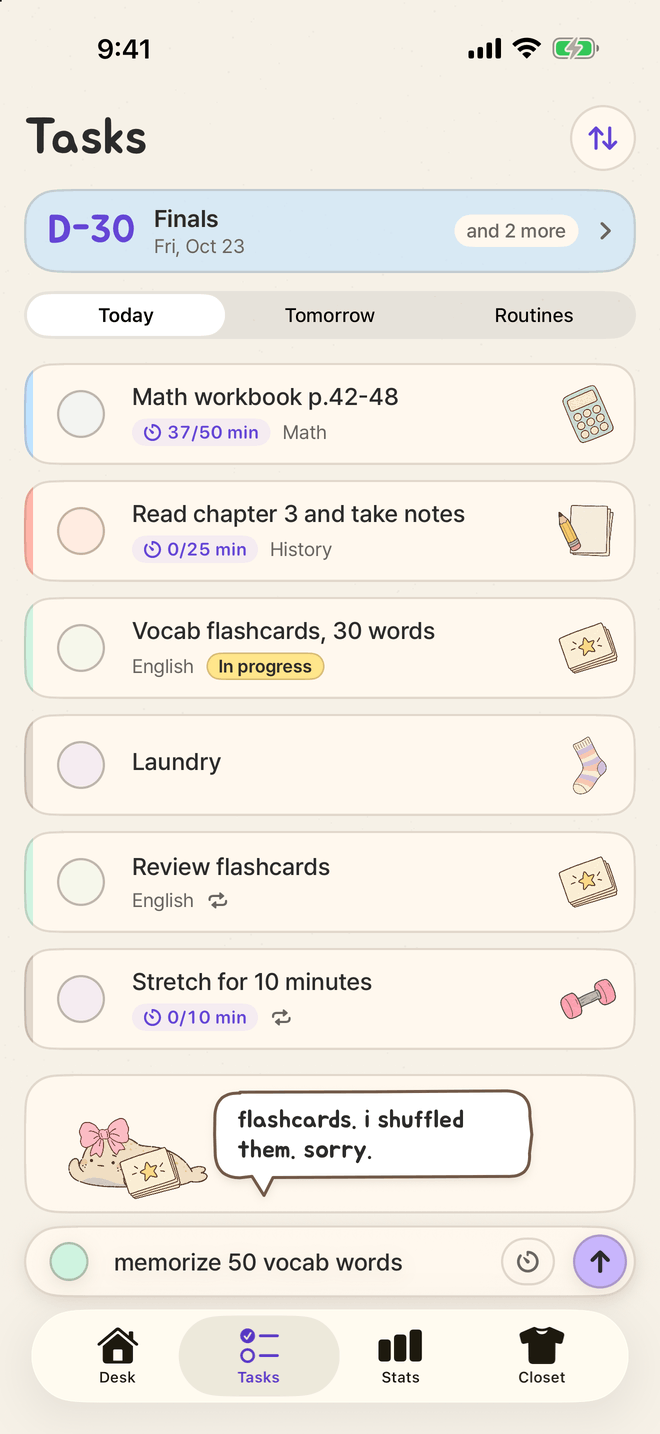
Tasks you check off with a tap, timed tasks that show today’s minutes, today and tomorrow, weekday routines and subject colors on one screen. Make as many D-days as you like and pick one as the main one.
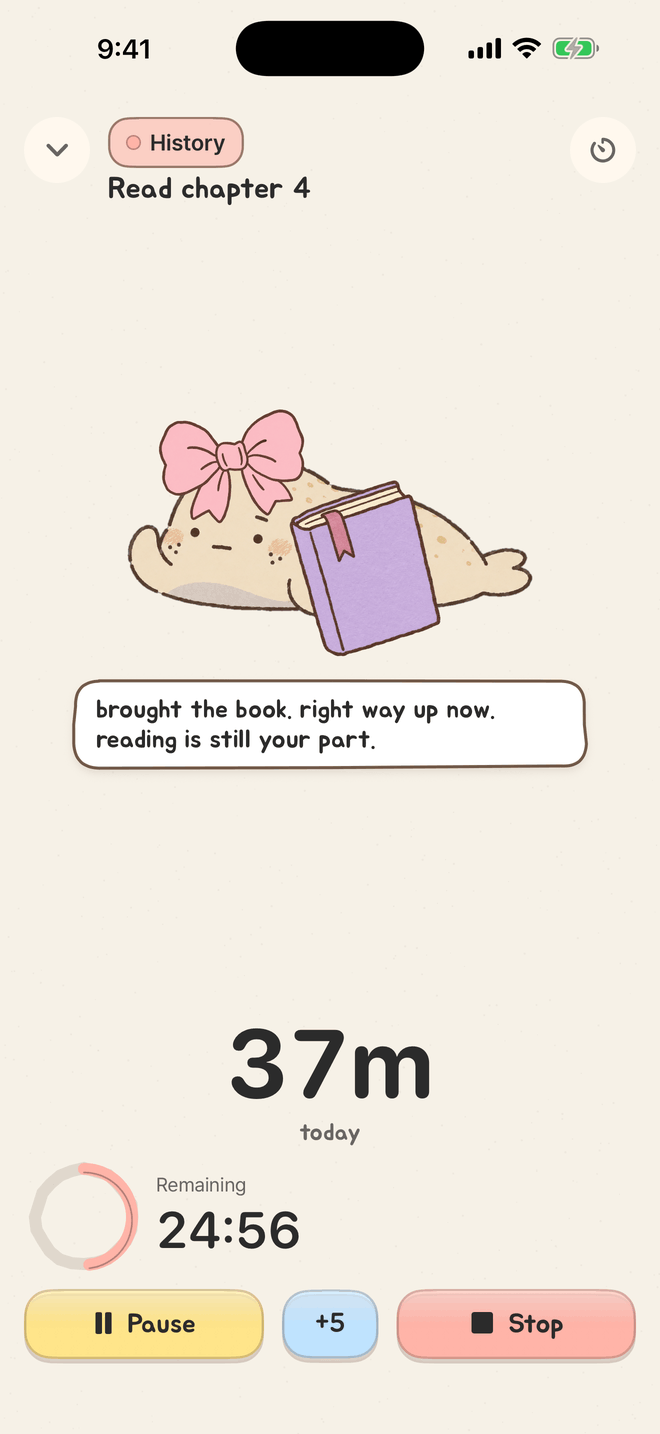
Read chapter 4
Science
okay. me too.
Jeolmi is a focus timer and to-do list with a flat, deadpan seal pup that looks like a rice cake. Type “read chapter 4” and it picks up a book, then keeps holding it on your Lock Screen and in the Dynamic Island while you work. Every real 25 minutes inks one grape.
Write it the way you normally would. As you type, the seal picks a paper prop that matches your words: a book, a dumbbell, a broom, a wallet.
Tap start and lock your phone. The seal stays on your Lock Screen and in the Dynamic Island, holding the prop next to your task. No need to reopen the app.
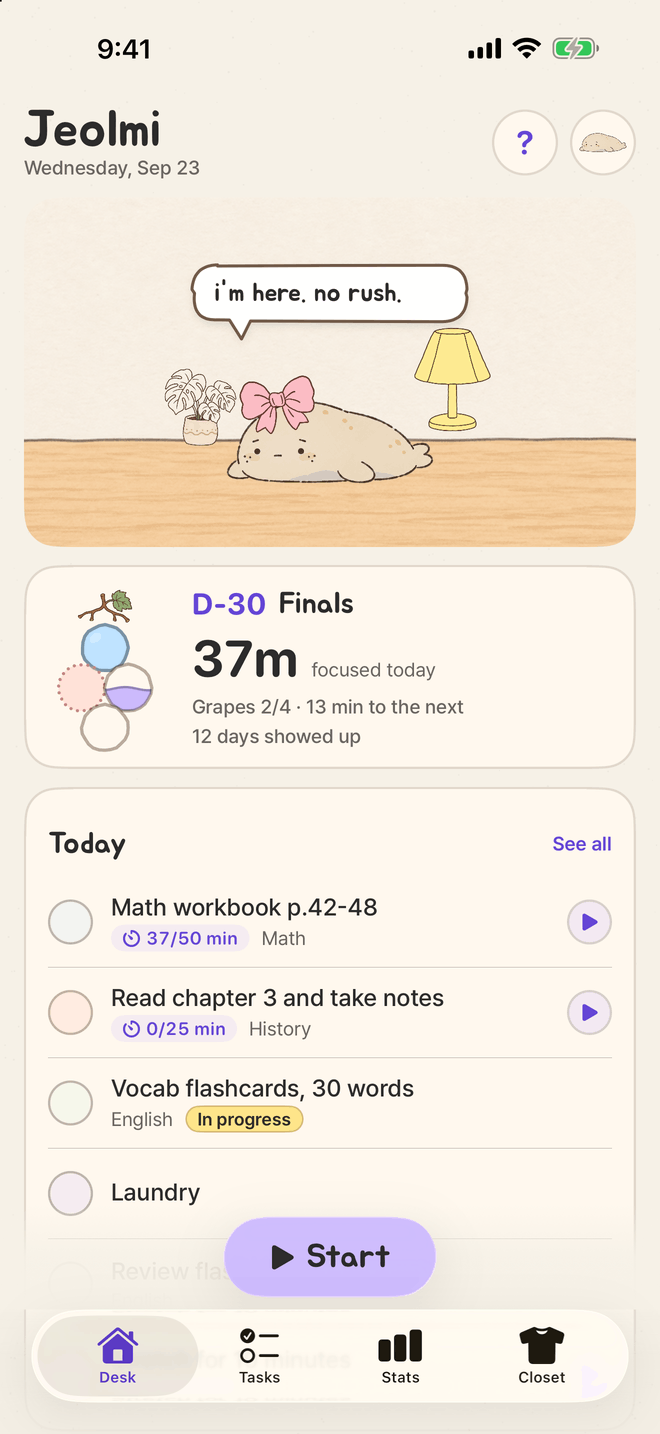
Every real 25 minutes of focus inks one grape. Checked-off tasks add dotted grapes. Fill the day’s grape slots and the seal sits up and claps. Once a day.
Write it however you’d write it. The prop comes from a word list inside the app, so it changes the moment you type, with no server in between.
brought the book. right way up now. reading is still your part.
Try one
The props and the seal’s lines are the ones in the app.
Tap start, then lock your phone. The Live Activity shows the seal, your task, the timer and today’s grapes, all in one strip.
18:24
The Lock Screen above is redrawn from the app’s own art and layout. It isn’t a device screenshot; iOS draws the real one.
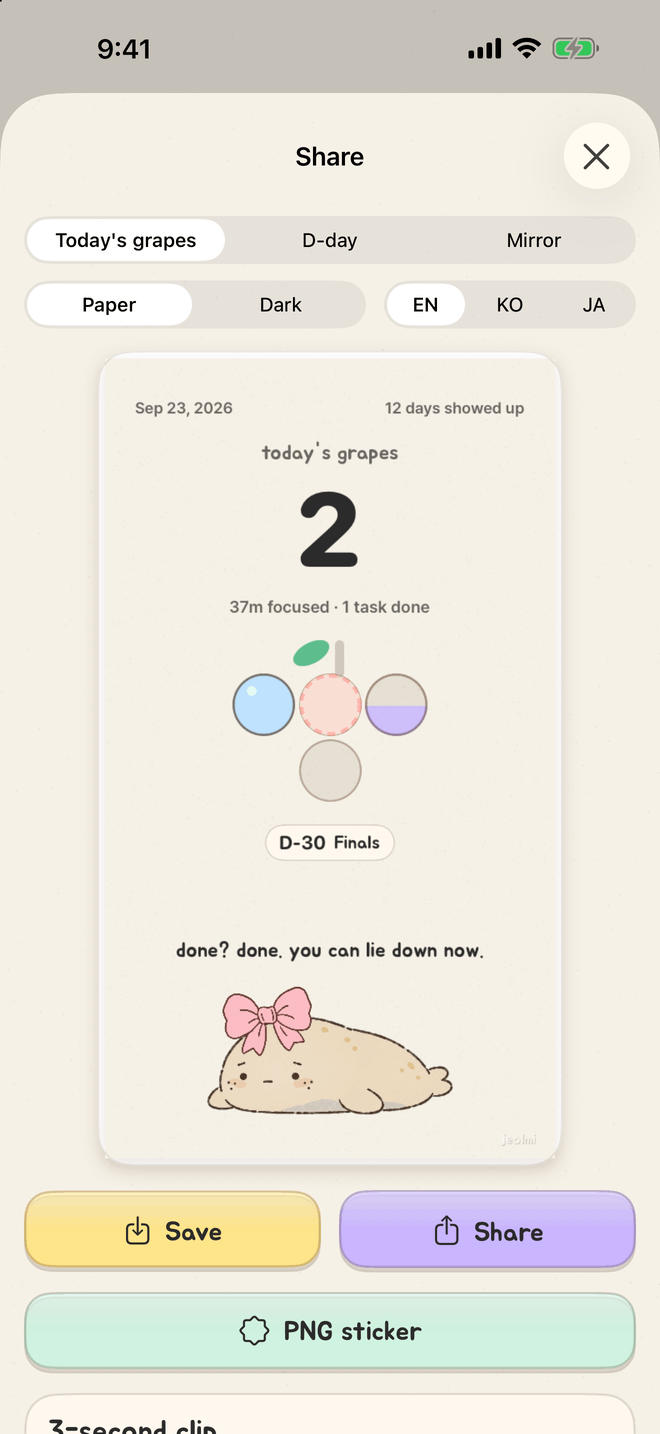
Timer grapes are solid. Grapes from checked-off tasks are dotted, so you can always tell them apart. Each grape takes its subject’s color, which turns the day’s bunch into a tiny chart of your day.
today’s grapes are all in. i clapped. once.
Fill the day’s grape slots and the seal sits up and claps. Once a day. Later grapes keep growing the same bunch, and the card of today’s grapes saves to Photos or goes out through the share sheet.
Everything in 1.0 is free. Nothing is locked behind a payment.
Tasks you check off with a tap, timed tasks that show today’s minutes, today and tomorrow, weekday routines and subject colors on one screen. Make as many D-days as you like and pick one as the main one.
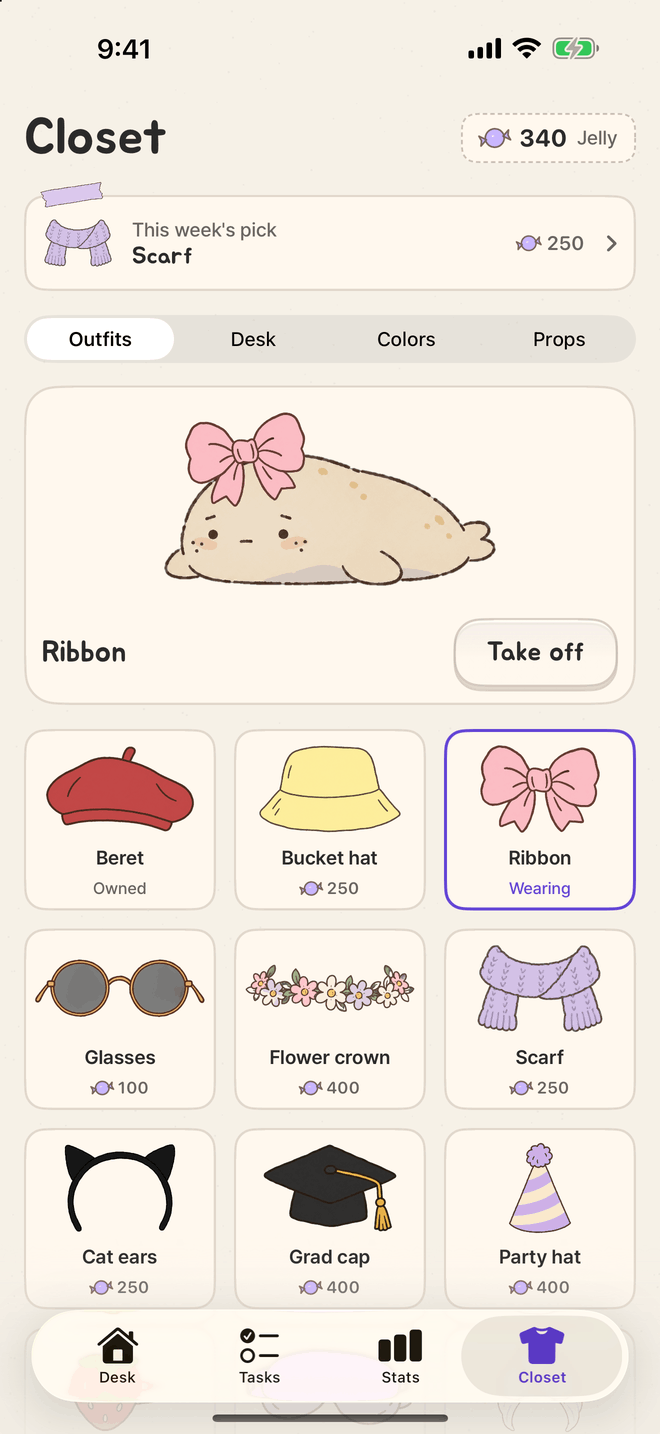
Lamp, mug, plant, wall: four spots to fill with Jelly. The seal mostly lies here.
Focus and finish tasks to earn Jelly. Outfits and desk items have fixed prices. No random boxes, no money.
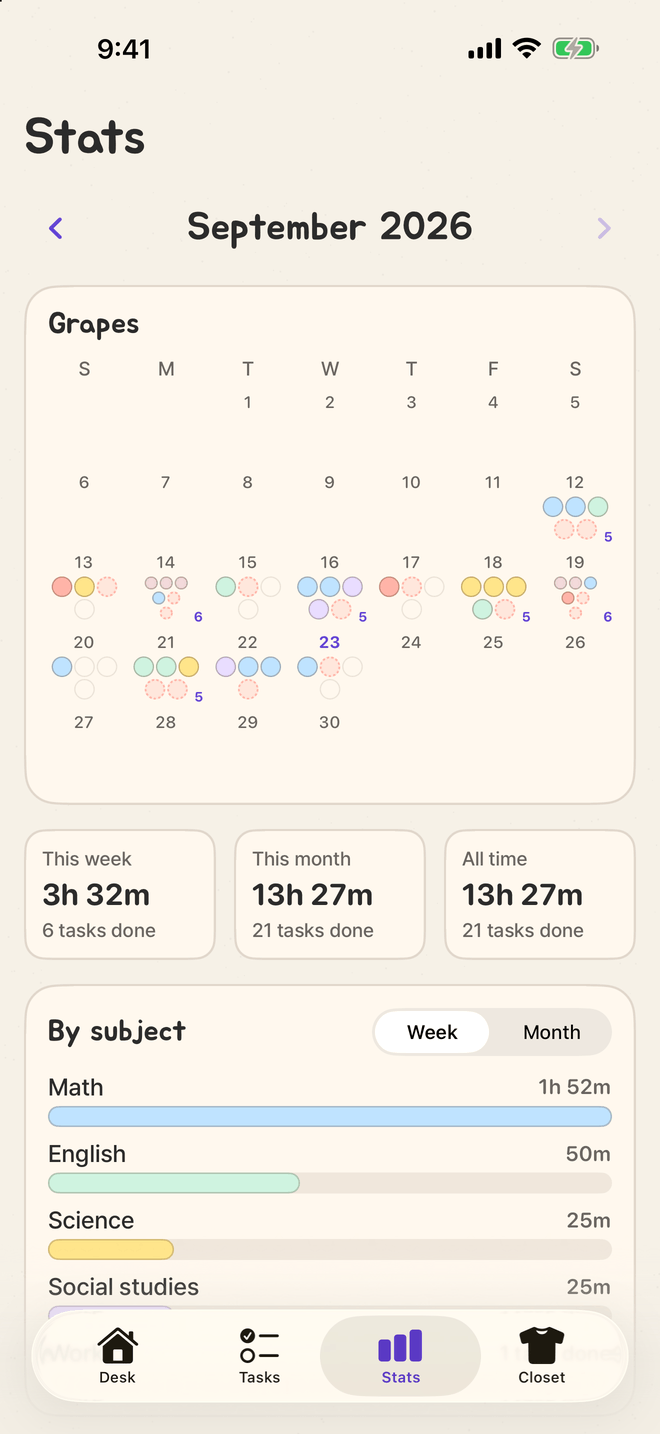
A month of grapes, hours by subject, lifetime hours. Days you showed up are counted, never used against you.
Small and medium Home Screen widgets and a Lock Screen widget show the seal, today’s tasks, grapes and your D-day. Check tasks off right on the medium widget.
A redrawn example of the widgets.
Yes. Everything in 1.0 is free, with no in-app purchases. Jelly only comes from focusing and finishing tasks. It can’t be bought.
No. Jeolmi is made for iPhone only and needs iOS 26 or later.
No. Jeolmi is only on iPhone.
On your iPhone only. There’s no account and no cloud sync, so deleting the app deletes your data too.
Your data is part of your iPhone’s own backup (iCloud Backup or a computer backup), so restoring or moving to a new iPhone brings it along.
한국어, English and 日本語. It starts in your iPhone's language, and you can switch any time in the app under Settings → Language. The seal's voice and the widgets switch too.
It’s a spotted seal pup that looks like injeolmi, a Korean rice cake rolled in roasted soybean powder. It claps like a sea lion, then tells you it’s a seal. Every time.
The seal is already lying on the desk. No rush.